Seven flying Roadster prompts
Each one is the 10-second version. For 5 seconds, keep the opening and the lift-off; for 15 seconds, keep all four shots and stretch the times.
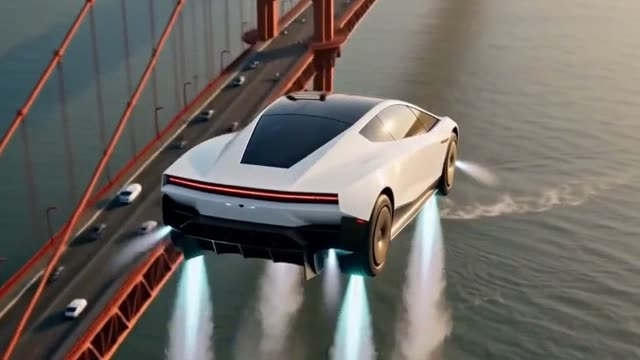
Golden Gate traffic escape
Photorealistic live-action. Stuck in traffic on the Golden Gate Bridge, the driver presses a button and the car lifts out of the jam on its thrusters and flies off high above the bridge. The driver is a young driver in a grey hoodie, a made-up person. A short story in 4 shots.

Shot 1 (0-3s): Golden hour on the deck of the Golden Gate Bridge: packed traffic, ordinary cars bumper to bumper in every lane, red bridge cables and a red tower rising behind. The camera is low at the side of the lane. The car sits in the traffic in the middle lane, in side profile. Nothing moves yet. The camera holds still.

Shot 2 (3-5s): The shot cuts to the inside of the car: the driver sits behind the wheel, sighs at the jam, then presses a glowing button on the center touchscreen with a small grin.

Shot 3 (5-7.5s): The shot cuts to a static wide shot from the bridge deck: four jets of its thrusters fire down, white vapor rolls across the lanes, and the car rises straight up out of the traffic, level like a drone, until it is several car lengths above the other cars; drivers lean out of their windows to look up.

Shot 4 (7.5-10s): The shot cuts to an aerial view from high above and behind the car: it hovers high over the bridge, the deck, the red towers and the fog far below it, the bay glittering; then it tilts slightly forward and glides out over the water, away from the camera.

The car flies like a drone, level and controlled: straight up, glide, straight down. The jets are cold gas, not fire. No text, no logos.

Sound: Idling engines and distant horns on the bridge and wind across the deck, then the sharp hiss of gas jets and rolling vapor.
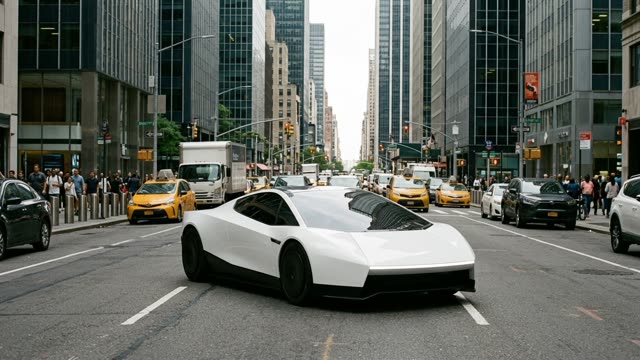
Hit the wrong button
Photorealistic live-action. Stuck in downtown traffic, the driver tries to skip a song on the touchscreen, hits the wrong button, and the car shoots straight up between the skyscrapers on its thrusters. The driver is a young driver in a grey T-shirt, a made-up person. A short story in 4 shots.

Shot 1 (0-3s): Daytime on a busy downtown street lined with tall glass skyscrapers: slow traffic, yellow cabs and a delivery truck around it. The camera is at street level in front of the car, slightly to the side. The car waits in the middle lane, facing the camera. Nothing moves yet. The camera holds still.

Shot 2 (3-5s): The shot cuts to the inside of the car: the driver frowns at the song playing, jabs at the center touchscreen to skip it and presses a big glowing button by mistake; their eyes go wide.

Shot 3 (5-7.5s): The shot cuts to a low static shot from the street: four jets of its thrusters fire straight down, white vapor bursts across the lanes, and the car shoots straight up between the skyscrapers, level, until it is far above the traffic; people on the sidewalk look up.

Shot 4 (7.5-10s): The shot cuts to a view from a skyscraper window across the street: the car hovers level between the towers at the height of the thirtieth floor, its jets steady, the driver gripping the wheel behind the windshield, the traffic crawling far below.

The car flies like a drone, level and controlled: straight up, glide, straight down. The jets are cold gas, not fire. No text, no logos.

Sound: Horns and city noise and a pop song on the car stereo, then a sharp blast of gas jets with the song still playing.
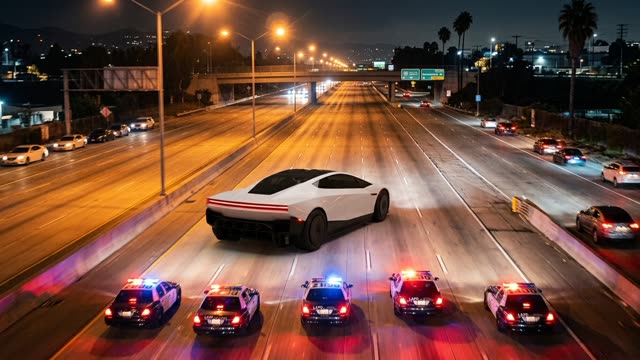
Freeway chase getaway
Photorealistic live-action. Seen from a news helicopter at night, the car leads a line of police cars down a Los Angeles freeway, then lifts over an overpass on its thrusters and lands on the empty freeway beyond. The driver is a young driver in a black hoodie, a made-up person. A short story in 4 shots.

Shot 1 (0-3s): Night on a wide Los Angeles freeway, seen from a news helicopter high above and behind: orange street lights, the few other cars pulled over to the sides. The car speeds down the middle lane away from the camera; a line of police cars with flashing red and blue lights follows about a hundred meters behind it. Ahead, a concrete overpass crosses the freeway. Nothing moves yet. The camera holds still.

Shot 2 (3-5s): The shot cuts to the inside of the car: the driver glances at the flashing lights in the mirror and presses a glowing button on the center touchscreen.

Shot 3 (5-7.5s): The shot cuts back to the helicopter view: four jets of its thrusters fire straight down, white vapor sprays across the lanes, and the car rises straight up, level, glides forward over the top of the overpass and comes straight down on the far side, while the police cars brake to a stop before the bridge.

Shot 4 (7.5-10s): The shot cuts to a low shot on the empty freeway beyond the overpass: the car settles on its wheels in a puff of vapor and speeds off into the night, the flashing lights left far behind.

The car flies like a drone, level and controlled: straight up, glide, straight down. The jets are cold gas, not fire. No text, no logos.

Sound: The thump of helicopter rotors and police sirens, then the hiss of gas jets and tires on the freeway.
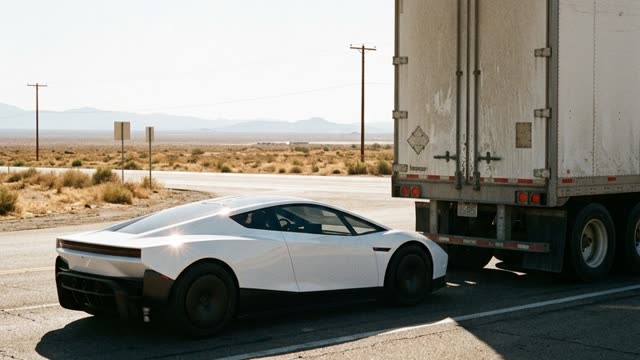
Over the truck at a red light
Photorealistic live-action. Stuck behind a semi truck at a desert red light, the driver presses a button and the car lifts over the truck on its thrusters, lands in front of it and drives off. The driver is a young driver in sunglasses, a made-up person. A short story in 4 shots.

Shot 1 (0-3s): Midday at an empty desert crossroad, heat shimmer over the asphalt, a traffic light showing red. A huge semi truck is stopped at the light in the right lane. The car waits in the same lane directly behind the truck, facing the same way, its nose about two meters from the truck’s rear doors. The camera is at the roadside, level with the car, and sees the car and the back half of the truck from the side. Nothing moves yet. The camera holds still.

Shot 2 (3-5s): The shot cuts to the inside of the car: the driver drums on the wheel, looks at the truck blocking the view, shrugs and presses a glowing button on the center touchscreen.

Shot 3 (5-7.5s): The shot cuts to a static wide shot from the roadside that shows the whole truck: four jets of its thrusters fire down from behind the truck and white vapor and dust roll across the road; the car rises straight up until it is higher than the trailer, glides forward, level, along the length of the trailer above it, and comes straight down onto the road in front of the truck’s cab.

Shot 4 (7.5-10s): The shot cuts to a low view from behind the car on the road: it rolls away from the truck down the empty desert highway toward the horizon, the dust settling behind it.

The car flies like a drone, level and controlled: straight up, glide, straight down. The jets are cold gas, not fire. No text, no logos.

Sound: Desert wind and the truck’s idling diesel, then the hiss of gas jets and gravel blown across the road.
Skip the drive-thru line
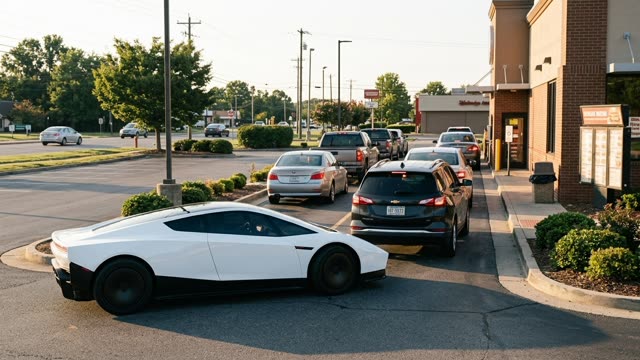
Photorealistic live-action. Stuck at the back of a long drive-thru line, the driver presses a button and the car lifts over the line on its thrusters and lands at the pickup window. The driver is a young driver in a red cap, a made-up person. A short story in 4 shots.

Shot 1 (0-3s): Late afternoon at a roadside burger restaurant: a long line of cars waits in the drive-thru lane along the side of the building, up to the pickup window at the front. The camera is at the side of the lane. The car waits at the very back of the line in side profile, facing the window. Nothing moves yet. The camera holds still.

Shot 2 (3-5s): The shot cuts to the inside of the car: the driver checks the time, sighs at the long line and presses a glowing button on the center touchscreen.

Shot 3 (5-7.5s): The shot cuts to a static wide shot of the whole line: four jets of its thrusters fire straight down, white vapor rolls across the parking lot, and the car rises straight up, glides forward, level, over the roofs of the waiting cars and comes straight down right in front of the pickup window.

Shot 4 (7.5-10s): The shot cuts to the pickup window: a surprised cashier in a uniform holds a paper bag out through the window as the driver smiles and takes it, white vapor drifting past.

The car flies like a drone, level and controlled: straight up, glide, straight down. The jets are cold gas, not fire. No text, no logos.

Sound: Idling engines and a crackly drive-thru speaker, then the hiss of gas jets, then the rustle of a paper bag.
The impossible parking spot
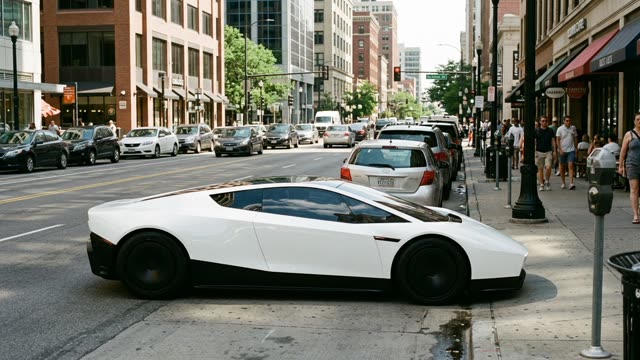
Photorealistic live-action. Driving down a full downtown street, the driver spots a tiny gap between parked cars, presses a button, and the car lifts on its thrusters and drops straight down into the spot. The driver is a young driver in a denim jacket, a made-up person. A short story in 4 shots.

Shot 1 (0-3s): Midday on a busy downtown street: cars parked bumper to bumper along the curb, with one small empty gap between two of them. The camera looks along the curb from the sidewalk. The car rolls slowly along the street beside the parked cars, in side profile, just before the gap. Nothing moves yet. The camera holds still.

Shot 2 (3-5s): The shot cuts to the inside of the car: the driver spots the tight gap, smirks and presses a glowing button on the center touchscreen.

Shot 3 (5-7.5s): The shot cuts back to the sidewalk view: the car stops beside the gap, four jets of its thrusters fire straight down, white vapor billows, and the car rises straight up, glides sideways over the parked car next to the gap and comes straight down into the gap.

Shot 4 (7.5-10s): The shot cuts to a low shot from the sidewalk: the car sits perfectly parked in the tiny gap, inches from the cars in front and behind, the vapor fading; a passer-by stops and stares.

The car flies like a drone, level and controlled: straight up, glide, straight down. The jets are cold gas, not fire. No text, no logos.

Sound: Street noise and a distant car horn, then the hiss of gas jets and a soft thud as it settles.
NYC gridlock escape
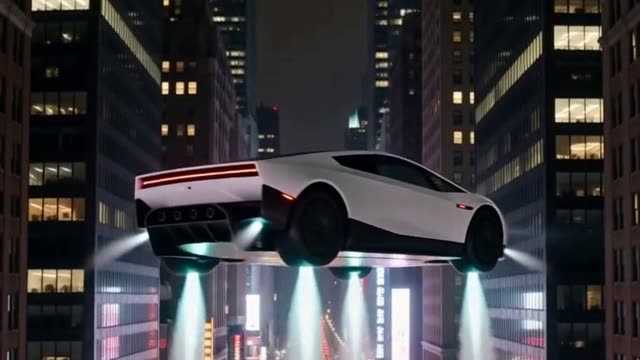
Photorealistic live-action. Stuck in Manhattan gridlock at night, the driver taps a button and the car rises between the taxis on its thrusters and glides off between the skyscrapers. The driver is a young driver in a black jacket, a made-up person. A short story in 4 shots.

Shot 1 (0-3s): Night on a Manhattan avenue in gridlock: yellow taxis bumper to bumper, neon and shop lights reflecting on the wet asphalt. The camera looks down at an angle from above the street. The car is stuck between the taxis in the middle of the avenue. Nothing moves yet. The camera holds still.

Shot 2 (3-5s): The shot cuts to the inside of the car: the driver rolls their eyes at the honking taxis, then taps a glowing button on the center touchscreen.

Shot 3 (5-7.5s): The shot cuts to a low static shot from the street: four jets of its thrusters fire down, white vapor rolls across the street, and the car rises straight up between the taxis, level, until it is above the taxi roofs; people on the sidewalk look up.

Shot 4 (7.5-10s): The shot cuts to a side view at skyscraper height: the car hovers between lit office towers, the avenue and its taxis far below, then turns and glides away down the avenue.

The car flies like a drone, level and controlled: straight up, glide, straight down. The jets are cold gas, not fire. No text, no logos.

Sound: Honking horns, tires hissing on wet asphalt and the hum of the city, then the sharp hiss of gas jets.